Twitch has become the go-to platform for live streaming games, esports, music, talk shows, and creative content. Millions of users rely on Twitch every day to watch their favorite streamers in real time. However, nothing disrupts the viewing experience more than encountering a sudden playback issue—especially the notorious Twitch Error 2000.
This error often appears without warning, stopping streams from loading or cutting them off mid-broadcast. Whether you’re watching a competitive esports match or a casual live stream, Twitch Error 2000 can be both confusing and frustrating. Fortunately, in most cases, the problem is fixable with a few simple troubleshooting steps.
In this guide, we’ll explain what Twitch Error 2000 means, why it happens, and provide practical solutions to fix it.
1. What Is Twitch Error 2000?
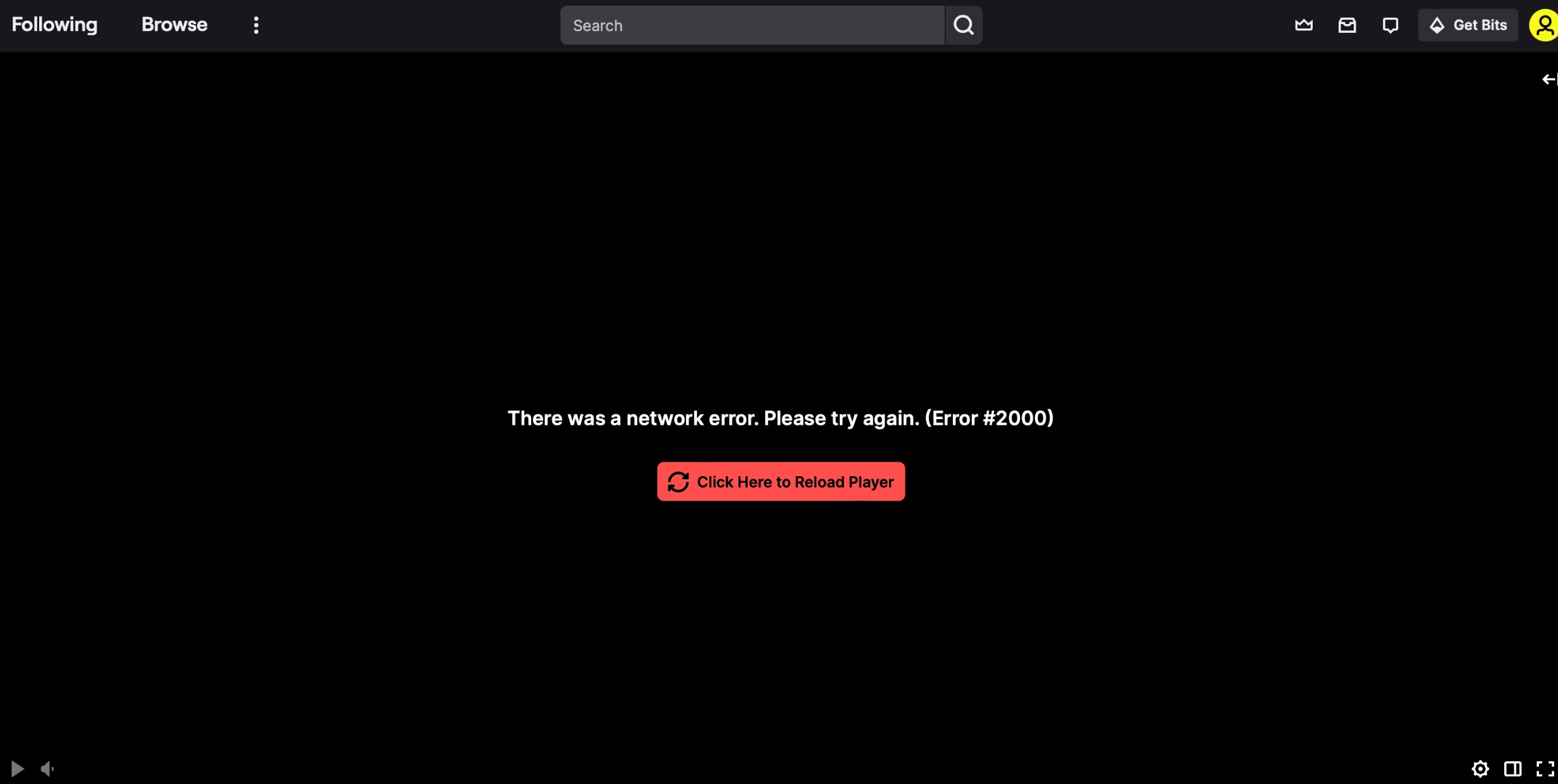
Twitch Error 2000 is a common playback error that usually displays the following message:
“There was a network error. Please try again. (Error #2000)”
This message indicates that Twitch’s video player is unable to load or maintain a stable connection to the stream. While it’s labeled as a “network error,” the root cause isn’t always your internet connection. In fact, the error can be triggered by a variety of factors, including browser issues, extensions, corrupted cache files, VPNs, or Twitch’s own servers.
Common Causes of Twitch Error 2000
:
Browser ad blockers interfering with Twitch ads
Corrupted or outdated browser cache and cookies
Unstable or slow internet connection
Conflicts caused by browser extensions
VPNs or proxy services blocking Twitch’s CDN
Outdated browser or graphics drivers
Understanding these causes makes it easier to choose the right fix, which we’ll cover in detail below.
2. How to Fix Twitch Error 2000?
If you’re facing Twitch Error 2000, try the following solutions one by one. Most users find that one of these methods resolves the issue completely.
2.1 Refresh the Page and Restart the Stream
Sometimes Twitch Error 2000 is caused by a temporary glitch.
Click the refresh button on your browser
Prensa
F5 / Ctrl + R
(Windows) or
Cmd + R
(Impermeable)
If the error persists, close the tab completely and reopen the stream.
2.2 Check Your Internet Connection
A weak or unstable internet connection is a frequent trigger for Twitch playback errors.
Restart your modem or router
Switch from Wi-Fi to a wired Ethernet connection
Pause large downloads or streaming on other devices
Run a speed test to ensure stable bandwidth
A consistent connection is especially important for HD and 60fps Twitch streams.
2.3 Disable Ad Blockers
Ad blockers are the most common cause of Twitch Error 2000. Twitch’s ad system often conflicts with popular ad-blocking extensions.
Qué hacer:
Disable your ad blocker (uBlock Origin, AdBlock, AdGuard, etc.)
Refresh the Twitch stream
If the stream works, whitelist Twitch instead of disabling the blocker entirely
This single step resolves the issue for many users.
2.4 Turn Off Other Browser Extensions
Extensions related to privacy, scripts, or video downloading can interfere with Twitch’s player.
Temporarily disable all browser extensions
Reload the Twitch stream
Turn extensions back on one at a time to pinpoint which one is causing the issue.
This method helps pinpoint the exact cause if extensions are involved.
2.5 Clear Browser Cache and Cookies
Corrupted cache or cookies can prevent Twitch from loading video data correctly.
Steps (Chrome example):
Abierto
Ajustes
> Ir a
Privacy and Security
Hacer clic
Clear browsing data
> Seleccionar
Cached images/files
y
Galletas
Clear data and restart the browser
After logging back into Twitch, check if the error is gone.
2.6 Try Incognito Mode or a Different Browser
Incognito mode disables extensions by default, making it a great testing tool.
Open Twitch in
Incognito/Private Mode
Or switch to another browser like Firefox, Edge, or Safari
If Twitch works in another browser, the issue is likely related to settings or extensions in your main browser.
2.7 Disable VPN or Proxy Services
While VPNs enhance privacy, they can sometimes block Twitch’s content delivery network.
Turn off your VPN or proxy
Reload the Twitch stream
If the error disappears, try switching to a different VPN server or watching Twitch without a VPN.
2.8 Update Browser and Graphics Drivers
Outdated software can cause compatibility problems with Twitch’s video player.
Update your browser to the latest version
Update your GPU drivers (NVIDIA, AMD, or Intel)
These updates improve stability and reduce playback errors.
2.9 Flush DNS Cache (Advanced Fix)
Flushing DNS can resolve hidden network conflicts.
Windows steps:
Open Command Prompt as Administrator
Ingresar:
ipconfig /flushdns
Press Enter and restart your browser
This can help when Twitch Error 2000 is caused by DNS-related issues.
3. Bonus: Save Twitch Streams with
Swyshare
Recordit
Even after fixing Twitch Error 2000, unexpected playback issues can still occur—especially during peak streaming hours or major live events. If you don’t want to risk missing important moments, recording Twitch streams is a smart alternative.
Swyshare
Recordit
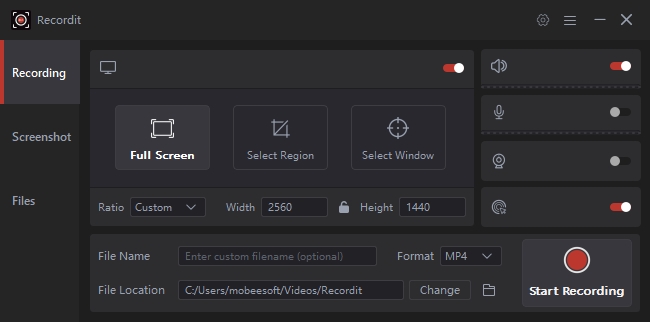
is a simple yet powerful screen recorder designed for capturing online videos, including Twitch streams.
Key benefits of
Swyshare
Recordit
:
Work with all video hosting and streaming websites, including Twitch.
Customize area to record: full screen, a window tab or specific area.
Records system audio, microphone and webcam.
Support buffer replay and schedule recording.
Exporte grabaciones en formatos populares en segundos.
Support editing when or after recording.
How
Recordit
Helps with Twitch Error 2000
:
Capture streams before errors interrupt playback
Save live content for offline viewing
Avoid reloading or buffering issues
Keep highlights and memorable moments permanently
4. Conclusión
Twitch Error 2000, is a common but fixable issue. In most cases, disabling ad blockers, clearing browser cache, checking your internet connection, or switching browsers will resolve the problem quickly.
However, Twitch errors can still appear unexpectedly due to platform updates or server issues beyond your control, and this’s why having a reliable backup solution is essential.
Swyshare
Recordit
offers an easy and effective way to record Twitch streams, ensuring you never miss important content—even when playback errors strike.
If you’re looking for a simple, stable, and beginner-friendly solution to handle Twitch streaming issues,
Swyshare
Recordit
Es muy recomendable.